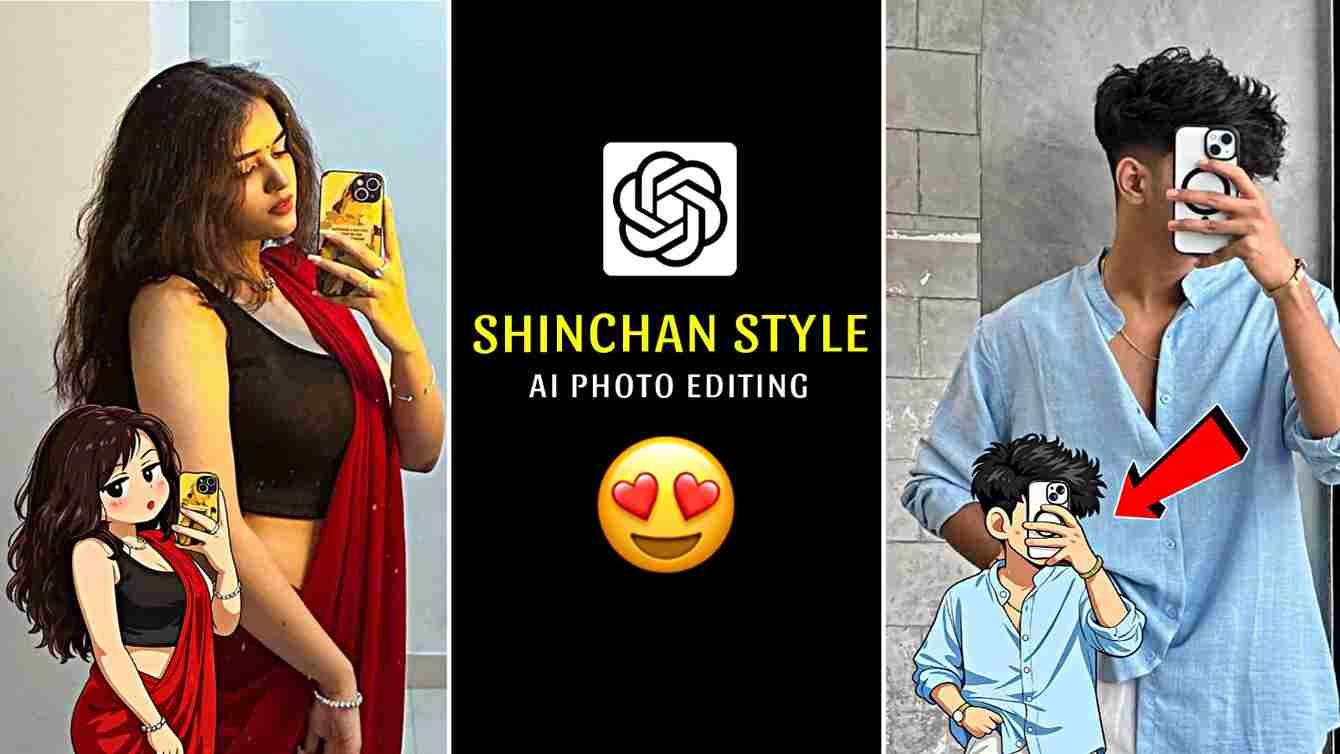
Crayon Shin-chan Style AI Photo Editing Prompt is a trending topic on social media, and in this article, I am sharing one of the best ChatGPT prompts to help you easily create a Shin-chan style AI image and combine it with your real photo for an eye-catching result. These cartoon-style images are going viral on platforms like Instagram, Facebook, and Telegram, where users are gaining a lot of likes, comments, and followers. Due to this growing trend, I decided to provide this powerful prompt so you can also create high-quality Shin-chan anime-style images and boost your social media engagement. Read the full article carefully for best results.
What Is Crayon Shin-chan Style Photo Editing?
Shin-chan style photo editing means turning a real photo into a Shin-chan cartoon style image using AI. In this style, the photo looks funny and cute with big eyes, simple face details, thick outlines, flat colors, and a small cartoon body, just like the original Shin-chan anime. People love this editing style because it feels fun, nostalgic, and eye-catching, which helps posts get more attention on social media. Many creators use Shin-chan style AI photo editing for profile photos, reels, thumbnails, stickers, and viral posts to increase likes, comments, and followers.
How to Create Shin-chan Style AI Photo Using ChatGPT?
Follow these simple steps to create a Shin-chan style AI photo easily:
- Open Google on your mobile or desktop browser.
- Search for Harish Edits and open the official website.
- On the website, find the post related to Shin-chan style AI photo editing.
- Copy the Shin-chan style AI prompt provided in the post.
- Click on the Create Your Image button given on the website.
- Log in using your Google account if asked.
- Upload your clear photo for better and more accurate results (optional).
- Paste the copied Shin-chan style AI prompt and generate your image.
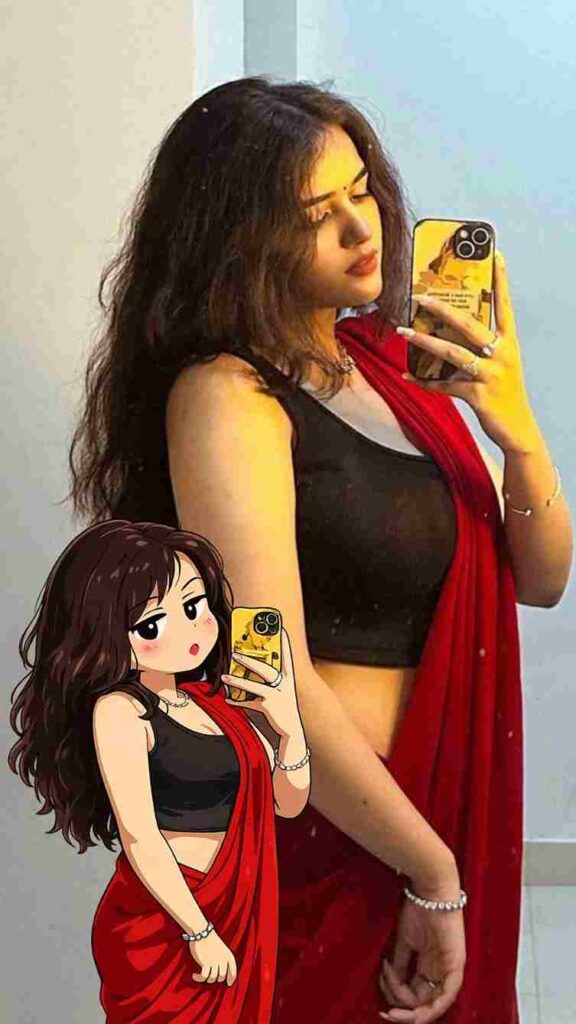
Transform the subject from the uploaded photo into the Crayon Shin-chan (Shinnosuke Nohara) anime style, referencing Shin-chan’s full cast of friends (such as Kazama, Nene, Masao, and Bo-chan).Style & Aesthetic: Match the official Crayon Shin-chan TV anime look — exaggerated cartoon humor, stubby childlike proportions, big oval eyes with dot pupils, expressive mouths, bold clean outlines, and flat cel coloring.Subject Details to Retain: Keep the subject’s original clothing, hairstyle, accessories, pose, skin tone, and expression recognizable, but reinterpret them as if they are part of Shin-chan’s friend group. Clothing should be simplified into bold, flat anime shapes while remaining faithful to the original outfit.Visuals: Full-body character in Shin-chan anime style. Bold outlines, flat cel fills, minimal shading. Comedic proportions and facial expressions referencing Shin-chan’s friends.Background: transparent background.Negative Prompt: No realistic faces, no detailed or 3D shading, no manga sketch lines, no extra accessories, no anime style outside of official Crayon Shin-chan.
Best Uses of Shin-chan Style Images
Shin-chan style edited images are perfect for many creative purposes and perform very well online because cartoon and anime-style visuals get higher engagement on social media. Many content creators use Shin-chan style images to make their content more attractive and shareable. These images are commonly used for Instagram reels and profile pictures, YouTube thumbnails, WhatsApp and Telegram stickers, storytelling posts, memes, and personalized digital gifts. You can also use them in stories by adding your real photo first, then copying the Shin-chan style AI image and pasting it into the same story, creating a stunning and eye-catching effect that looks truly amazing.
Conclusion
Friends, Shin-chan style photo editing is a fun and creative way to turn ordinary photos into eye-catching anime-style artwork that instantly grabs attention. In this article, I have explained how using a well-written and descriptive Shin-chan style AI prompt can help you create professional-looking images that perform really well on social media. Whether you are a content creator, editor, or anime lover, learning and mastering Shin-chan style photo editing can improve your visual content, boost engagement, and help you gain more likes, comments, and followers. If you face any problem or have questions, feel free to ask in the comments or reach out to me on my Instagram handle for help.