
Akshaye Khanna Style AI Photo Editing Prompts for Girls – In this article, I am going to share Dhurandhar movie Gemini prompts for girls to create trending Akshaye Khanna (Rehman Dakait)–style AI photos. On Instagram Reels, many girls are asking for prompts specifically designed for women, so I decided to share viral and amazing prompts that help them transform their images into the powerful Akshaye Khanna style seen in the Dhurandhar movie. Below, I have shared multiple prompts—most of them suitable for AI image generation and also compatible with AI video generation. In the following paragraphs, I have explained the complete process in simple steps. So, please review the entire article for a better understanding.
Why Akshaye Khanna’s Rehman Dakait Look Is Trending
Akshaye Khanna’s style editing has become very popular because of his powerful role as Rehman Dakait in the movie Dhurandhar. In this film, his character looks dark, intense, and full of confidence. His strong expressions, fearless attitude, and bold action scenes make his appearance very impactful. This rough and commanding look gives a complete movie-style feel, which people love to copy in their photos, reels, and posters. That is why Rehman Dakait–style editing stands out so much on social media.
Another big reason for this trend is the growth of AI tools. Earlier, creating such a cinematic look needed advanced Photoshop skills and a lot of time. Now, apps like Google Gemini can easily create Akshaye Khanna–style AI images and even cinematic videos in just a few seconds. This mix of a strong movie character and easy AI editing has made the trend extremely popular.
Akshaye Khanna Style AI Photo Editing Prompts For Girls
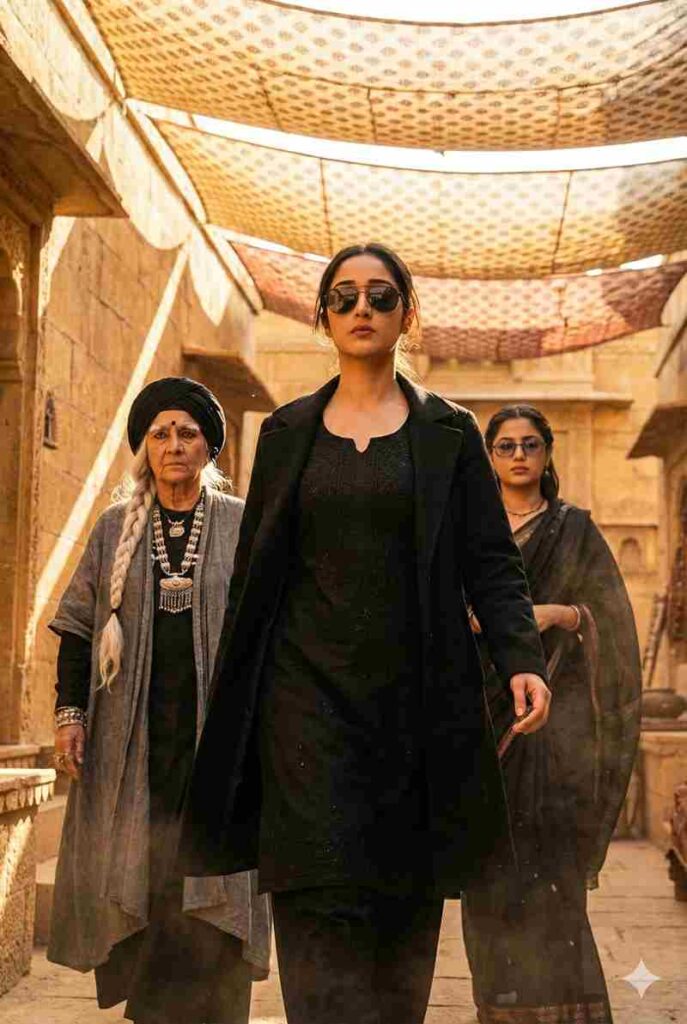
Ultra realistic, portrait cinematic full-body portrait of the same young woman from the reference photo (same hairstyle, defined eyebrows, neatly trimmed facial contours, and confident expression). A powerful cinematic scene showing a stylish female villain making an intense entrance. A sharp-featured woman wearing a black kurta-style outfit, black overcoat, and dark sunglasses walks forward with confidence. Warm golden sunlight filters through patterned fabric shades hanging overhead, creating dramatic light and shadow on her face. Behind her, two women follow - one elderly with a long white braided hairstyle, black turban, layered grey robe, and heavy jewelru; the other younger with a confident look, dark glasses, and dark traditional clothing. The environment resembles an ancient marketplace or desert fort made of sandstone. with textured walls and warm golden tones. The camera anale is sliahtlu low, capturina a heroic, slow-motion walk. Highly detailed faces, crisp shadows, cinematic depth of field, rich colour grading, dramatic."
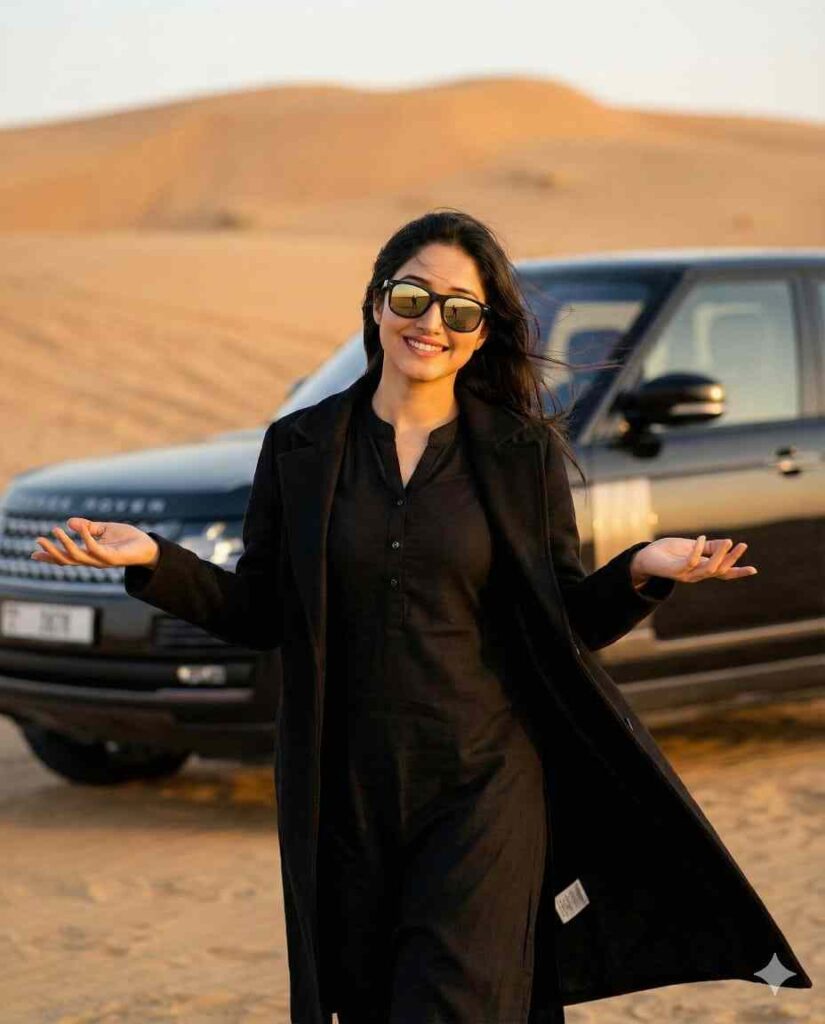
"A stylish woman standing in a desert, wearing an all-black outfit with a black kurta-style dress and a long black coat, hands open in a casual what can I say' gesture. Wind blowing lightly, desert sand in the background, a luxury SUV behind her. Cinematic lighting, soft warm tones, depth of field, high-quality 4K frame, sunglasses reflecting light, dramatic film look, minimal grain, realistic color grading."
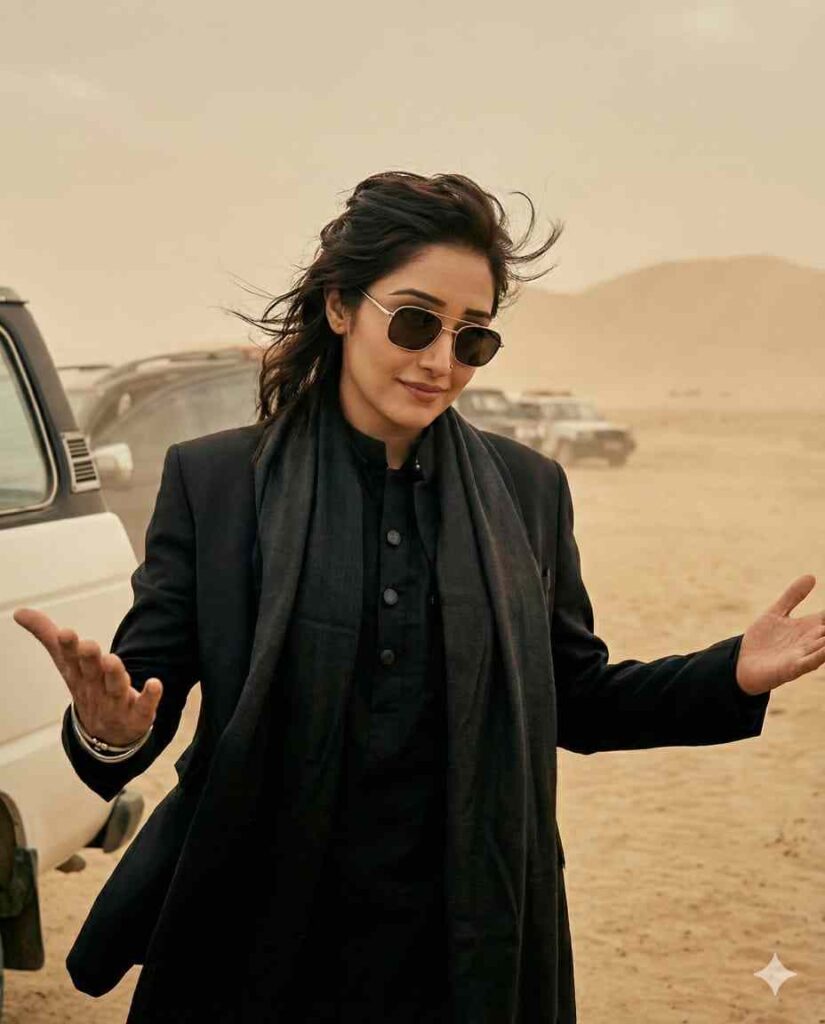
Recreate this ultra quality ,portrait cinematic desert movie scene using my selfie for the character. Replace the actor with me while keeping everything else the same: the dusty desert background, the beige sky, the parked vehicles, the white van on the left. the warm color tone, and the dramatic lighting. Maintain the same camera angle, framing, pose, facial expression, hairstyle flow sunglasses, black outfit, and body anquage with both hands open while shrugging. The final image should look hvper-realistic, seamless, and naturally integrated, as if I acted in this movie.Preserve the film-like grading, shadows highlights, and depth of field Ultra-high detail, cinematic realism, 8k quality
How to Make Akshaye Khanna Style AI Photo Using Gemini?
If you want to turn your normal photo into a dark, bold, and cinematic Akshaye Khanna–style AI portrait for girls, the process is quick and beginner-friendly. Follow the steps below to create a professional movie-style image using AI:
- Open Google Chrome on your device and search for “Harish Edits.”
- Visit the website and open the Akshaye Khanna Style AI Photo Editing Post.
- Choose your preferred prompt from the list and copy it.
- Scroll down and click on the “Create Your Image” button.
- Log in to your Google Gemini account if prompted.
- Upload your photo and paste the copied prompt into the prompt box.
- Click the Generate button and wait a few seconds while Gemini creates your cinematic Akshaye Khanna–inspired AI image.
- If needed, use the Regenerate option to refine the result.
- Once satisfied, click Download and save your final Akshaye Khanna–style AI photo to your device.
How to Create Akshaye Khanna Style AI dance video?
Follow the steps below to create a cinematic Akshaye Khanna–inspired AI dance video using Flow AI and a Gemini-generated image:
- First, copy the Akshaye Khanna AI dance video prompt provided below.
- Click on the “Generate Video” button to start the process.
- You will be redirected to the official Flow AI website.
- Log in to your Flow AI account (create a new account if you don’t have one).
- After logging in, click on the “Text to video” option below.
- Select the “Image to Frames” option for AI video creation.
- Upload your Akshaye Khanna–style AI image created with Google Gemini.
- Paste the copied AI video generation prompt into the prompt field.
- Click on the Generate button and wait a few moments.
- Flow AI will process your request and create a realistic Akshaye Khanna dance style AI video.
Prompt to Make Akshaye Khanna Style AI Dance Video
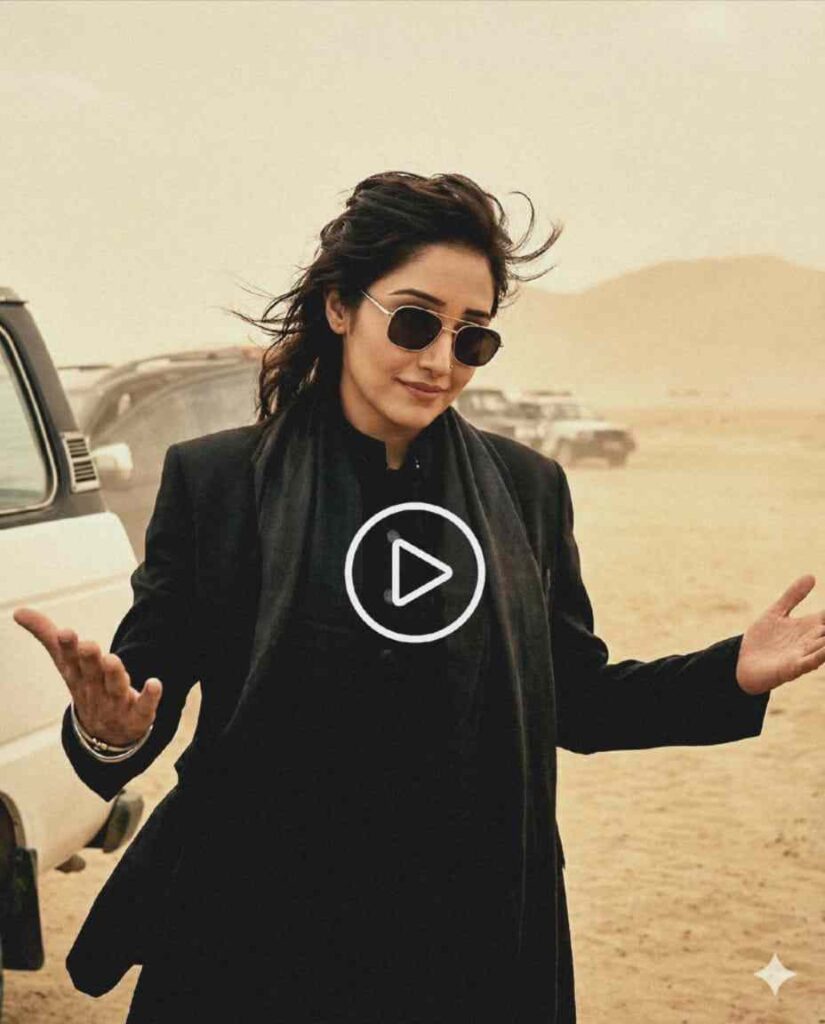
Use the exact provided image as the base frame without changing the face, pose, outfit, or background. Add subtle body movement in an Arabic rhythm dance style, including light rhythmic hand waves, small shoulder bounces synced to an Arabic beat, natural nodding movements, and a gentle sway of the body from left to right. Keep the same smile and facial expression. Do not change the environment; maintain the same desert scene and the same car. Add minimal micro-camera shake for realism and a very light, smooth breathing zoom effect. The overall vibe should match Arabic upbeat music with a desert festival feel, and the style must remain ultra-realistic with the same lighting and color tone as the original frame.
My Experience With Dhurandhar-Style Editing
When I first attempted to create a Dhurandhar-style AI edit, I encountered numerous challenges. Initially, I thought that giving a short and simple instruction would be enough to get the Akshaye Khanna–style look. However, the results were never accurate and lacked the strong, rugged feel of the Rehman Dakait character. After multiple failed attempts, I realized the importance of clearly mentioning every detail, such as the outfit style, lighting tone, background atmosphere, facial expression, and overall cinematic intensity.
Final Words
Friends, in this article, I have shared some amazing Google Gemini prompts for girls to create trending Dhurandhar movie–inspired Akshaye Khanna style AI photos. I have also explained how you can easily create Rehman Dakait–style AI videos using simple AI tools. If you face any issues during AI image or video generation, feel free to ask your questions in the comment section or connect with us through our Instagram handle. We are always happy to help you with the latest AI editing tips and trends.
Check out the full video on YouTube ⬇️