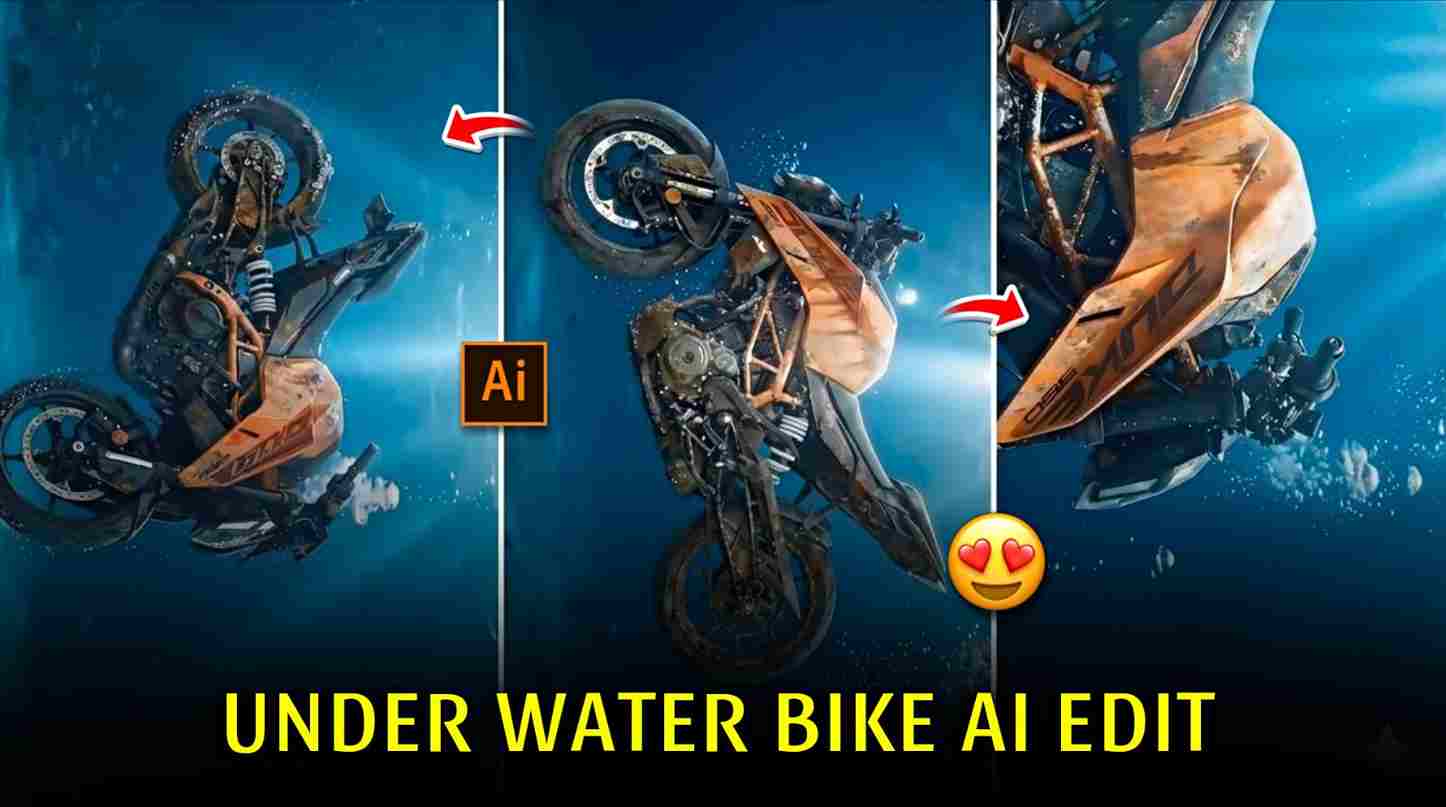
Friends, in this article, I will explain the trending underwater bike AI video editing that is going viral on social media, especially on Instagram. Many people are creating underwater bike AI reels and getting a lot of views and engagement. That’s why I decided to share this trend with you. In this article, I will provide easy prompts and simple steps so you can also create underwater bike AI videos using your own bike and post them on your Instagram account. Read the complete article till the end for better understanding and best results.
Why Underwater Bike AI Videos Are Going Viral?
Underwater bike AI videos are going viral because these reels show strong feelings and emotions, especially for people who own bikes and truly love riding. In these reels, a bike slowly goes underwater in a cinematic ocean scene, creating a deep and emotional visual effect. When the bike touches the ocean floor, aesthetic background music with water-bubble sounds makes the video feel calm, emotional, and realistic. This combination connects deeply with bike lovers and riders. In the paragraphs below, I have explained the complete A-to-Z process to create such underwater bike AI reels in simple and easy steps.
How to Create Underwater Bike AI Images?
Follow the below steps to create an underwater bike AI image:
- Open the Google Gemini website or Gemini app on your device.
- Log in using your Google account.
- Tap on New Chat to start image generation.
- Upload your bike photo for more accurate and realistic results.
- Paste the underwater bike AI image prompt into the chat box.
- Click on Generate and wait for the AI to create the image.
- If required, refine the prompt and regenerate for better output.
- Download the final underwater bike AI image to your device.
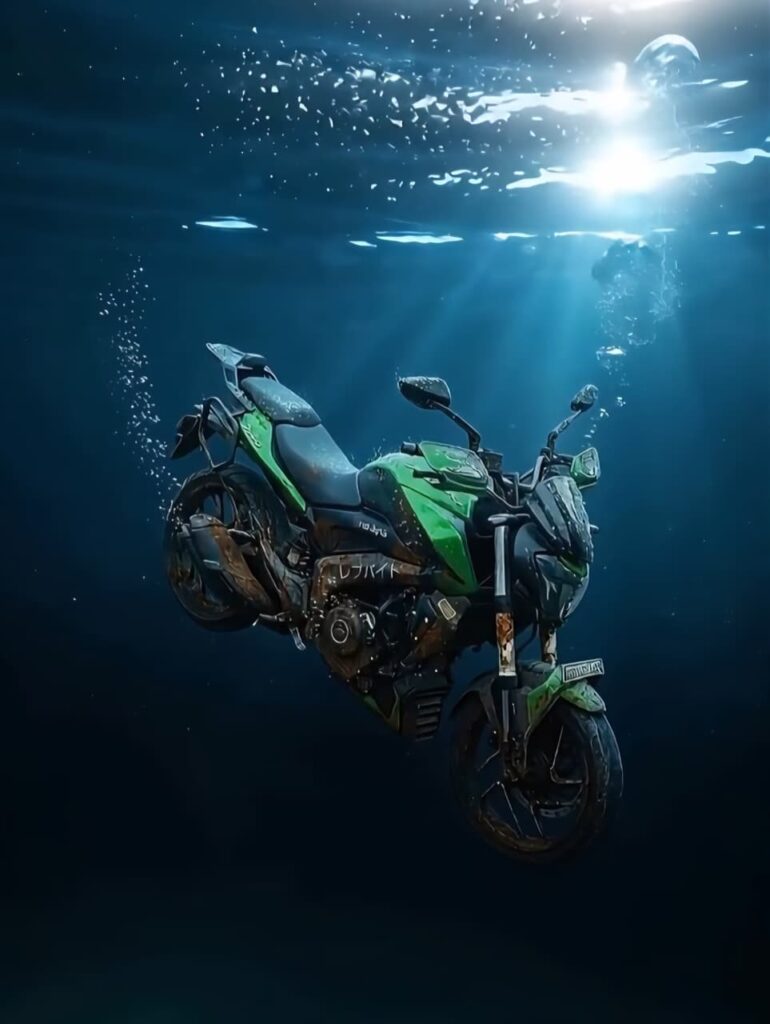
Create an ultra realistic photograph of this Bike under water in the ocean. bike submerged underwater, resting in a deep, dark ocean environment. bike ko water me dubta huva rakho ,pani me hawa me. The bike interior same rakho as image. Sunlight filters down from above, creating soft light rays that cut through the water and highlight the vehicle's contours. Small air bubbles rise around the car, enhancing the sense of depth and stillness. The vehicle's sleek, high-performance design contrasts sharply with its weathered, corroded condition, suggesting it has been underwater for a long time. The overall mood feels mysterious, cinematic, and melancholic, like a forgotten relic or a symbol of lost luxury.
How to Generate AI Video Using Flow AI ?
Follow these steps to generate an underwater bike AI video:
- Open Google, search for Harish Edits, and visit the website.
- Open the Underwater Bike post on the website.
- Copy the underwater bike video generation prompt.
- Click on the Generate Video button.
- Sign up or log in using your Google account or email ID.
- Click on Create Video or New Project to begin.
- Upload your reference image or video for better AI results (optional).
- Paste the copied AI video prompt and select video settings like style and duration.
- Click on Generate, preview the final output, and download the AI video to your device.
Video Prompt ⬇️
TUltra-realistic underwater cinematic scene.The exact same motorcycle from the reference image is already partially submerged and slowly sinking deeper into the water.
The bike moves extremely slowly, as if affected by heavy water pressure and gravity.
The motorcycle gently tilts to one side while descending, with very minimal and smooth rotation, almost unnoticeable.
No dramatic movement, no sharp curves — only natural underwater drifting motion.
The camera remains mostly stable, slowly shifting angle by a few degrees to the side, creating subtle realism instead of cinematic exaggeration.
Realistic underwater light rays from the surface, soft diffused lighting, natural color absorption of water.
Tiny realistic air bubbles escape slowly from small parts of the bike and float upward.
Water particles, floating dust, and micro debris move naturally with slow underwater currents.
The motorcycle feels heavy, abandoned, and silent, sinking deeper into the depths.
No stylized effects, no fantasy lighting — purely realistic underwater physics.
Documentary-style realism, cinematic but grounded, physically accurate motion.
Ultra-realistic water simulation, natural refraction, soft shadows, realistic depth fade.
Extremely smooth slow-motion movement, no jitter, no shaking.
4K realism, film-grade underwater photography.
How to Fix “Video Couldn’t Created” Problem in Flow AI?
Friends, many times users face issues like “video couldn’t generate” or violation/restriction errors in Flow AI. This problem usually happens due to high server load or incorrect prompts. If you see this error, refresh the page and try again after a few minutes. Always use a clear and simple prompt and avoid restricted or sensitive content. Also, make sure your uploaded images or videos are in supported formats and that you have enough credits in your Flow AI account. Logging out and logging back in, or switching to another browser, can also help fix this issue.
Conclusion
So friends, in this article I have explained everything about the trending underwater bike AI video editing, from creating AI images using Gemini to generating AI videos with Flow AI. I have also shared easy steps and solutions to fix common problems like the “video couldn’t generate” error. By following the prompts and steps mentioned above, you can easily create cinematic underwater bike AI reels and post them on Instagram to gain better reach and engagement. I hope this article helps you understand the complete process. If you face any issues or have any questions, feel free to comment or contact me through my website or Instagram page.