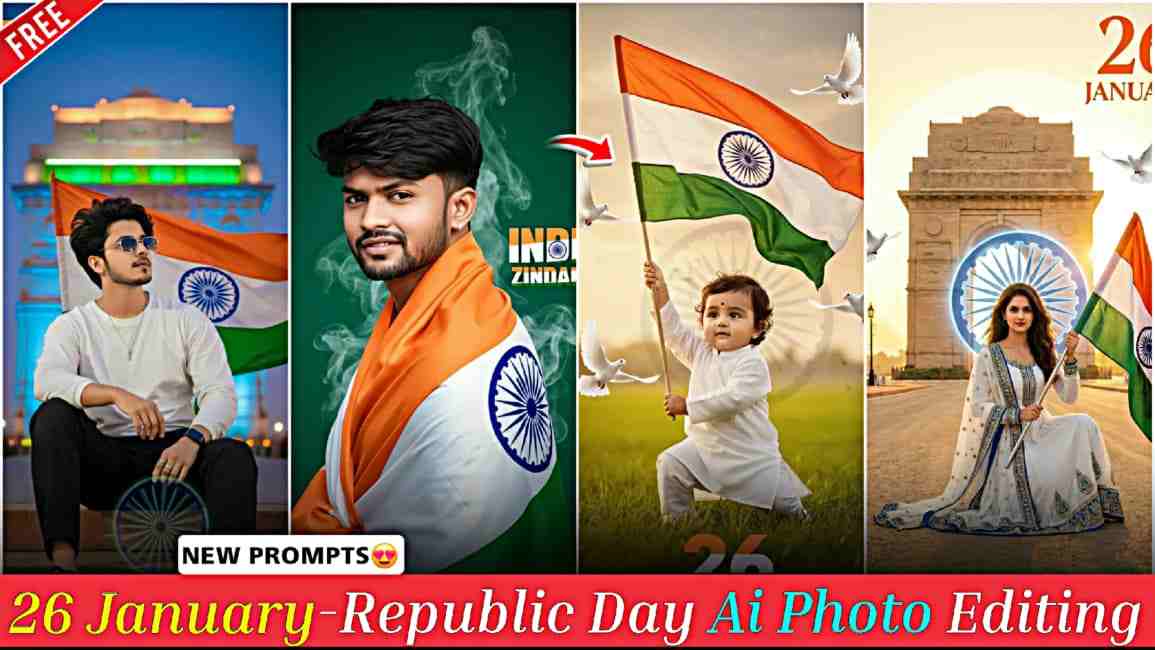
26 January Republic Day AI Photo Editing Prompts (2026) – In this article, I am sharing Republic Day special AI photo editing prompts that help you create stunning, realistic patriotic AI images using your real face. As 26 January is one of the most important national days for every Indian, marking the adoption of the Constitution of India and honoring the sacrifice of our brave soldiers and heroes, these prompts are designed to help you create meaningful visuals in their remembrance. With Republic Day just around the corner, you can easily generate high-quality AI images for social media, websites, and digital sharing by using these carefully crafted prompts, so make sure to read the complete article to understand how to use them correctly and get the best results.
Why Do Indians Celebrate 26 January as Republic Day?
Indians celebrate 26 January as Republic Day because on this day in 1950, the Constitution of India came into effect, officially transforming the nation into a sovereign, democratic republic. Although India gained independence on 15 August 1947, the country did not have its own constitution until 26 January 1950, when it replaced the Government of India Act 1935. This historic date was chosen to honor 26 January 1930, when the Indian National Congress declared Purna Swaraj, or complete independence. Republic Day represents the power of the people, the rule of law, and the democratic values of justice, liberty, equality, and fraternity, and it is celebrated across the country with parades, cultural programs, and tributes to the armed forces and freedom fighters.
Republic Day Special Gemini Photo Prompts
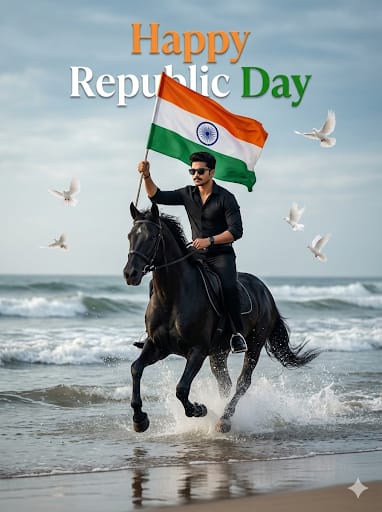
Ultra-realistic cinematic image, keep face exactly the same as the reference photo (no change at all), aspect ratio 3:4, young man riding a powerful black horse at full speed through shallow sea water, water splashes frozen mid-air with crisp detail, holding the Indian tricolour flag high in the right hand, confident and proud posture, face slightly forward with a determined, fearless expression, black formal outfit, black luxury sunglasses, black Apple smartwatch, dramatic sea beach background, rolling ocean waves, wet sand with natural reflections, cloudy cinematic sky, “Happy Republic Day” written in the sky in a premium cinematic serif font, Indian tricolour (saffron, white, green), solid clean colors, sharp edges, subtle realistic shadow matching cloud lighting, perfectly centered, naturally blended into the sky, no blur, no glow, no color spread, white doves flying naturally, natural daylight, cinematic contrast, soft highlights on face and flag, realistic shadows on horse, water and sand, ultra-HD, photorealistic, cinematic masterpiece quality.
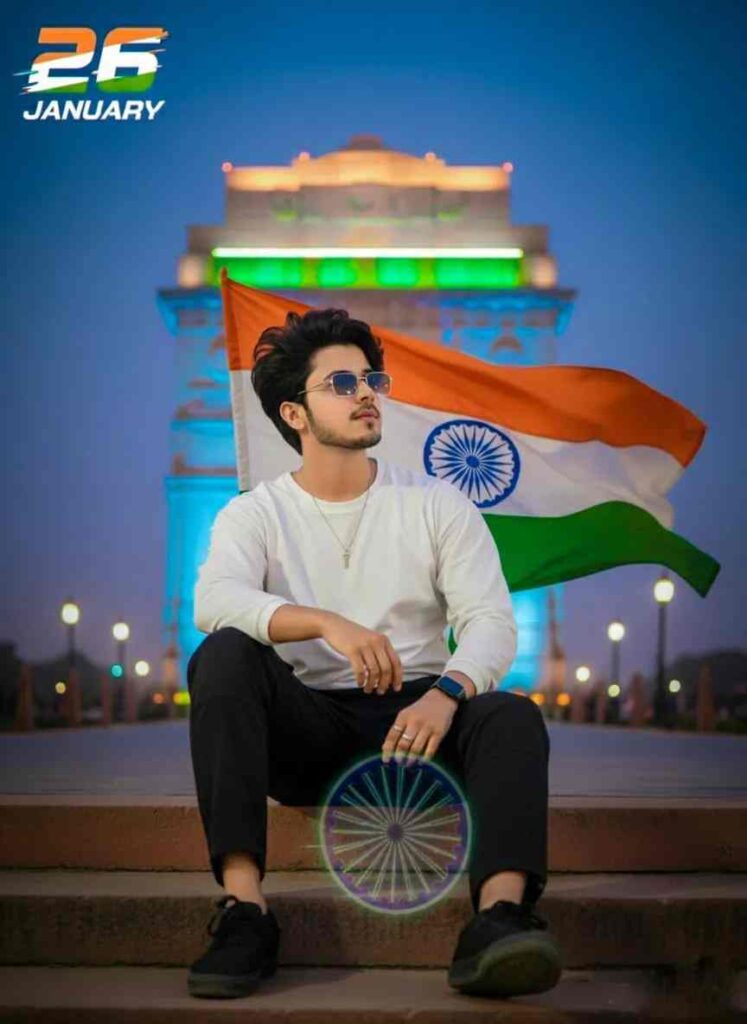
Ultra-realistic modern patriotic portrait of the uploaded Indian boy sitting casually on a concrete step, holding the Indian tricolor flag behind him flowing in the wind. White oversized long-sleeve T-shirt, black cargo pants, black sneakers, sling bag. India Gate neon-lit in the background, Ashoka Chakra as a subtle holographic overlay, cinematic dusk lighting, shallow depth of field, crisp 8K DSLR quality. Bold graphic 26 in tricolor, "JANUARY" with glitch-blur typography.
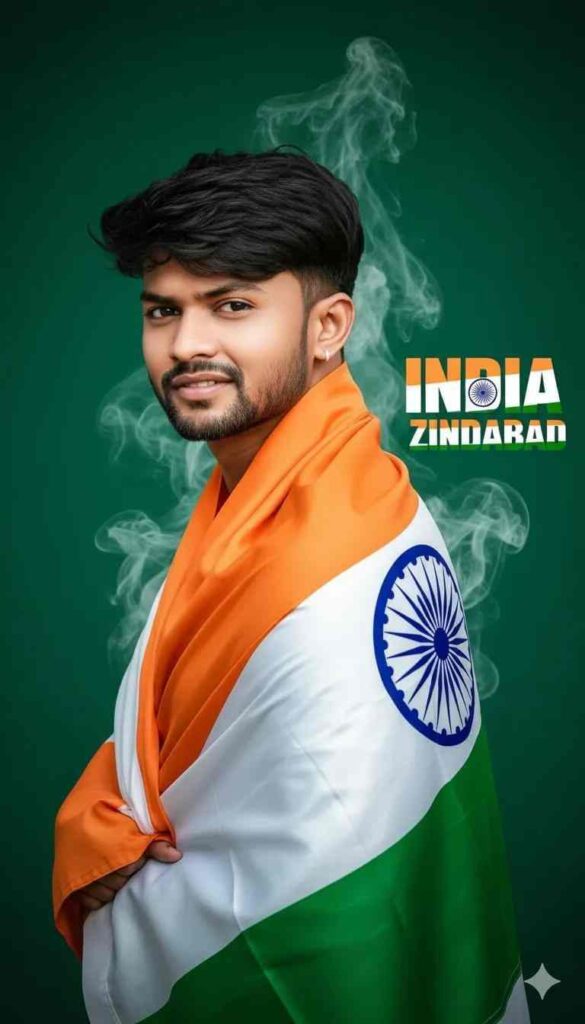
striking studio portrait of a proud young India man wrapped in the India flag, facing slightly back with a warm, confident little bit smile. On a deep green background, bold text “India Zindabad” appears beside him in vibrant , white, and green with subtle textures of the India flag within the letters. Light white and green smoke trails add depth and patriotism. Cinematic lighting, minimal composition symbolizing national pride.keep my face same 100%
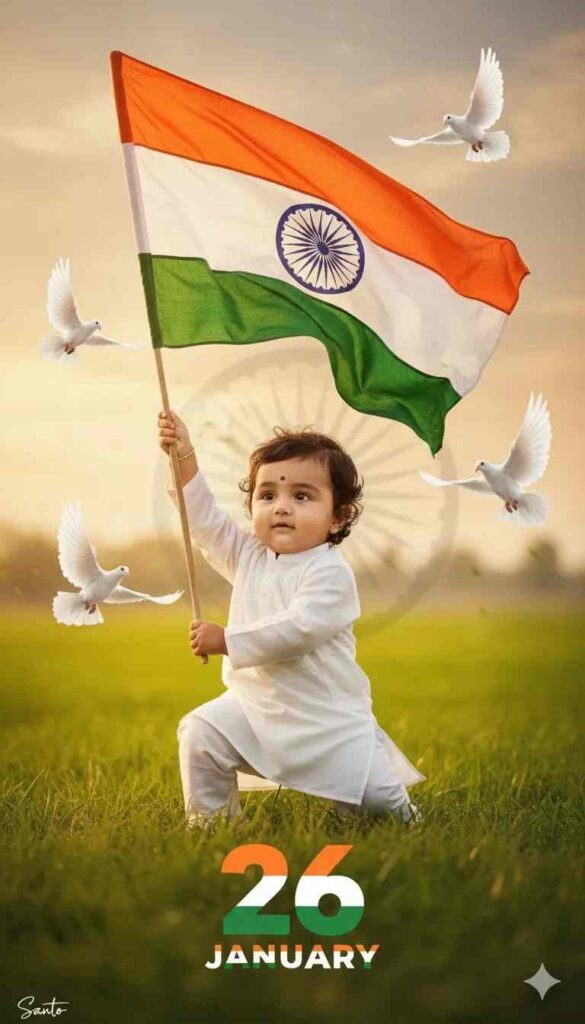
Ultra-realistic patriotic portrait of uploaded Indian kid boy crouching on one knee, holding the Indian tricolor flag.. Green khet and faded Ashoka Chakra in soft background, flying doves, warm golden-hour cinematic lighting, shallow depth of field, 68K DSLR quality. A small Santo signature in left corner, and large 26 number with three indian flag colour, 'JANUARY' in bottom with stylish font and blur.
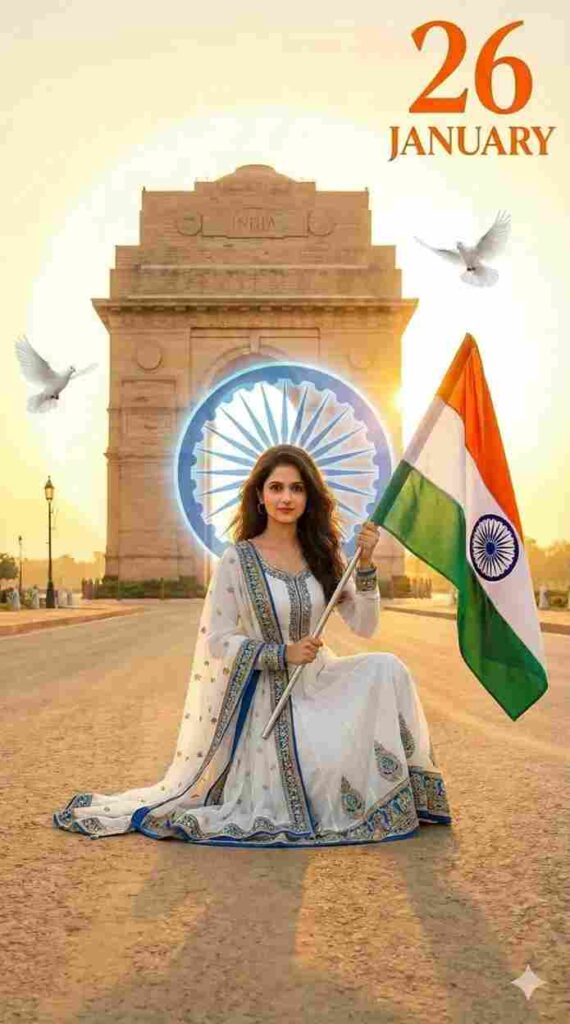
Create a highly detailed, photorealistic image of a beautiful young Indian woman (face same as uploaded image) with long wavy dark hair, fair skin, and expressive eyes, kneeling on one knee on a sandy road at sunset. She wears a fitted white long-sleeve top, loose navy blue cargo pants, white sneakers, and a beige crossbody bag. She holds a large Indian tricolor flag (saffron, white, green with Ashoka Chakra) in her right hand, raised triumphantly. Behind her stands the iconic India Gate monument in Delhi, bathed in warm golden hour sunlight with a radiant halo effect around it. Two white doves fly in the sky. Bold orange text '26 JANUARY' overlays the top right in stylish font. Patriotic atmosphere, vibrant colors, sharp focus, cinematic lighting, high resolution, 8k."3:4
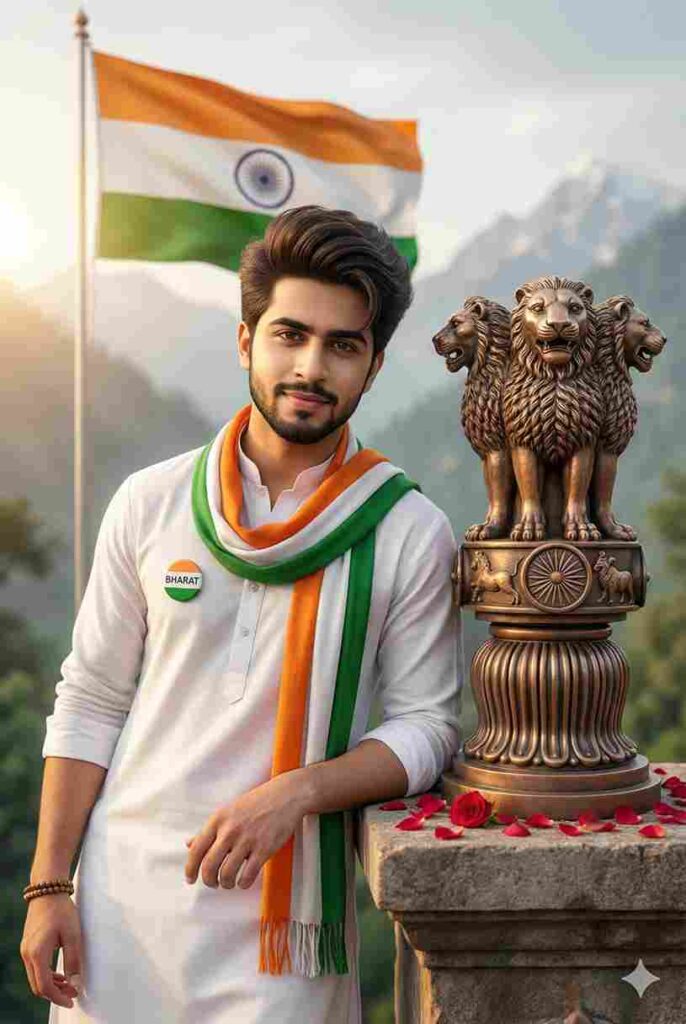
a hyper-realistic cinematic 3d close-up portrait of a young indian man leaning beside the lion capital of ashoka (ashoka stambh), with a confident calm expression, gentle smile, wheatish skin tone, sharp jawline, light trimmed beard, and thick voluminous hair styled upward, looking directly at the camera with proud eyes. he wears a clean white traditional kurta and an indian tricolor scarf draped around his neck, a small round badge reading “bharat,” and a simple beaded bracelet. beside him stands a bronze ashoka stambh on a stone pedestal with rose petals. the background shows a waving indian flag, misty himalayan mountains, golden-hour lighting, shallow depth of field, ultra-realistic textures, cinematic color grading, patriotic and inspirational mood, photorealistic 8k quality.
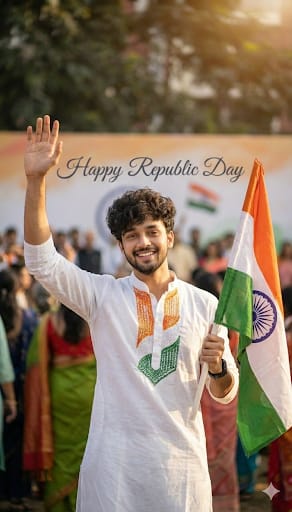
Give me exact same face uploaded photo A 20 -vear-old young Indian man proudly waving the Indian national flag, wearing a white kurta with a tricolor (Tiranga) design. He looks confident and patriotic. Soft blurred crowd in the background, warm daylight, cinematic lighting. Shallow depth of field. uItra-realistic details. Text "Happy Republic Day" elegantly visible in the background. 8K quality professional photography, national pride atmosphere. Same face and
normal messy hair
How to Create 26 January Republic Day Ai Photo?
Guys, if you want to create 26 January Republic Day special AI photos with your face, just follow the simple steps given below.
- Open Google or any web browser and search for “Harish Edits.”
- Visit the website and open the 26 January Republic Day post.
- Copy the Republic Day AI prompt provided in that post.
- Click on the “Create Your Image” button given below the prompt.
- You will be redirected to Gemini AI.
- Upload your clear face photo (front-facing, good lighting) for best results.
- Paste the copied Republic Day prompt into the prompt box and generate the image.
- Download the generated 26 January Republic Day–themed AI image.
How to Fix Face Problems in Gemini AI?
If you face any issues with your AI image, such as the face not matching properly, appearing blurry, or looking distorted, always ensure that your reference photo is clear, front-facing, and taken in good lighting, as image quality plays a crucial role in accurate results. Avoid shadows, filters, or low-resolution photos. If the problem still persists, start a new chat in the AI tool, upload your photo again, paste the prompt, and regenerate the image. In many cases, this refreshes the process and gives much better output. Once you get the best result, simply save the image you like to your phone or device.
Conclusion
Friends, in this article I have explained how to create Republic Day special AI images in a simple and effective way, and also shared tips on how to fix common face-related problems. I hope this guide helps you easily create your images. If you still face any issues, feel free to let me know in the comment box or connect with me on my Instagram handle, and I will try to help you as soon as possible.